
Putting your brand and design on your certificates
Every certificate we issue opens with a page that’s yours to design. After that comes a standard set of pages that stay the same on every certificate Open CPD issues: course details, provider details, attendee details and verification. This guide covers how we turn your idea for that opening page into a finished template, from a rough sketch in Canva through to sign-off.
Your template journey
From your Canva link to a live template, you will always know who has the next move.
- 1
Specification sent
YouWe send you our specification and the invoice for your bespoke template. Please read through and pay the invoice.
- 2
Awaiting your information
YouSend us your Canva link and logo file.
- 3
Information received
UsWe check that your material is ready to use. If anything needs changing, we tell you exactly what.
- 4
Build
Us · about 10 working daysWe turn your design into a working certificate template.
- 5
Awaiting approval
YouReview the sample certificate for your bespoke template and confirm it.
- 6
Approved
UsYou have confirmed your template, and we get it ready to go live.
- 7
Deployed
CompleteWe set up your courses with your bespoke template, or with several versions of it.
Bespoke design alternatives
However you’d like your opening page to look, it will fit one of these structural layouts. Each is available as a Solo template (your logo only) or a Partnership template (your logo alongside your client’s, for training delivered on their behalf). Canvas and artwork sizing is fitted to your own bespoke design rather than a fixed measurement, so there’s no set dimension to work to. The diagrams below are schematic demonstrations of each layout, not finished certificate artwork, your own colours, imagery and branding will replace the placeholder shown. The labelled fields you see are the required fields that appear on every certificate; the footer shown is the fixed Open CPD mark described above.
Landscape · design on the left
Your artwork sits in a left-hand panel · logo sized to fit your design
Best for providers delivering their own courses.

Best for training delivered on behalf of another organisation.
Portrait · design on top
Your artwork sits in a top banner · logo sized to fit your design
Best for certificates typically printed or framed upright.

Best for portrait certificates issued on behalf of a client.
Full design · wraps the whole page
Available in landscape or portrait · your artwork frames the whole page · logo sized to fit your design
Landscape · best for brands that want their imagery to frame the whole page rather than sit in one panel.

Portrait · best for brands that want their imagery to frame the whole page rather than sit in one panel.
Fancy something different? Tell us what you have in mind and we’ll quote for it.
A closer look at the standard pages
One page is yours. The design you brief is the opening page, and behind it sit the standard pages carrying the full verified record, usually four more, five in total, though course details can run longer depending on what you give us to cover. They stay the same whichever design you choose, so the certificate holds up to scrutiny from an employer or a regulator.
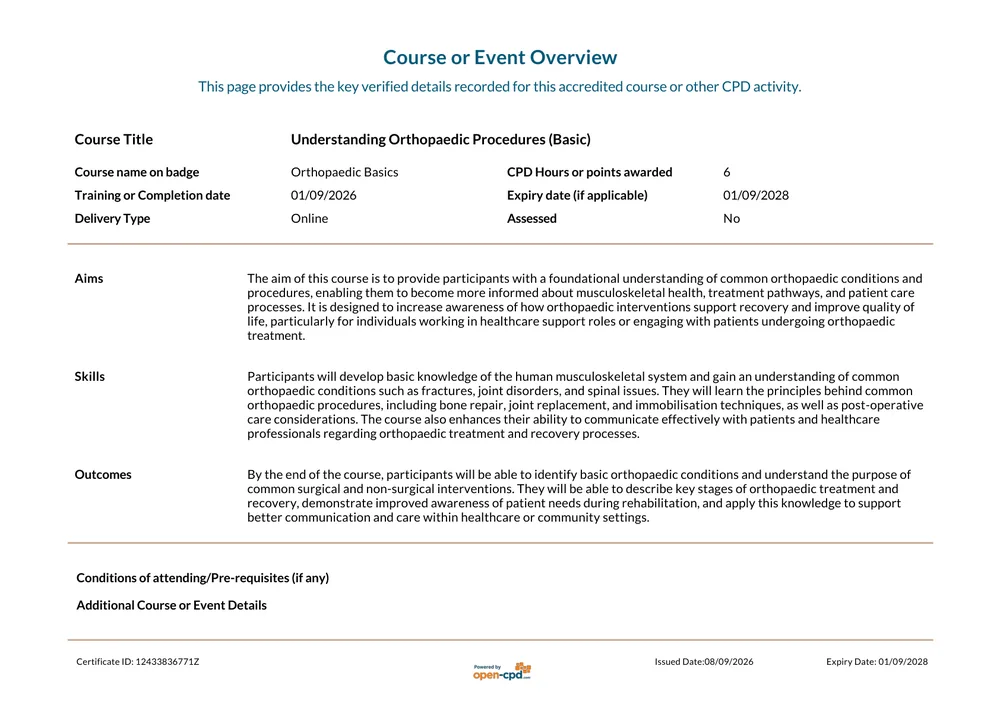
Course or Event Overview
The verified record of what was delivered: title, CPD hours, dates, delivery type and the course aims.
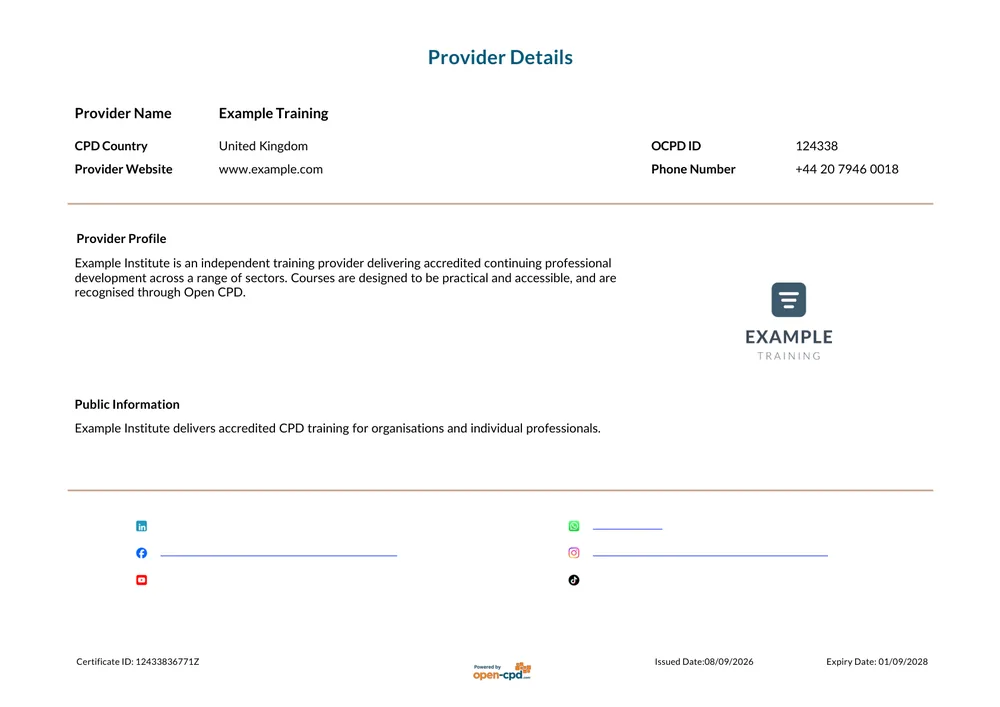
Provider Details
Who delivered the training, including your organisation's profile and contact details.
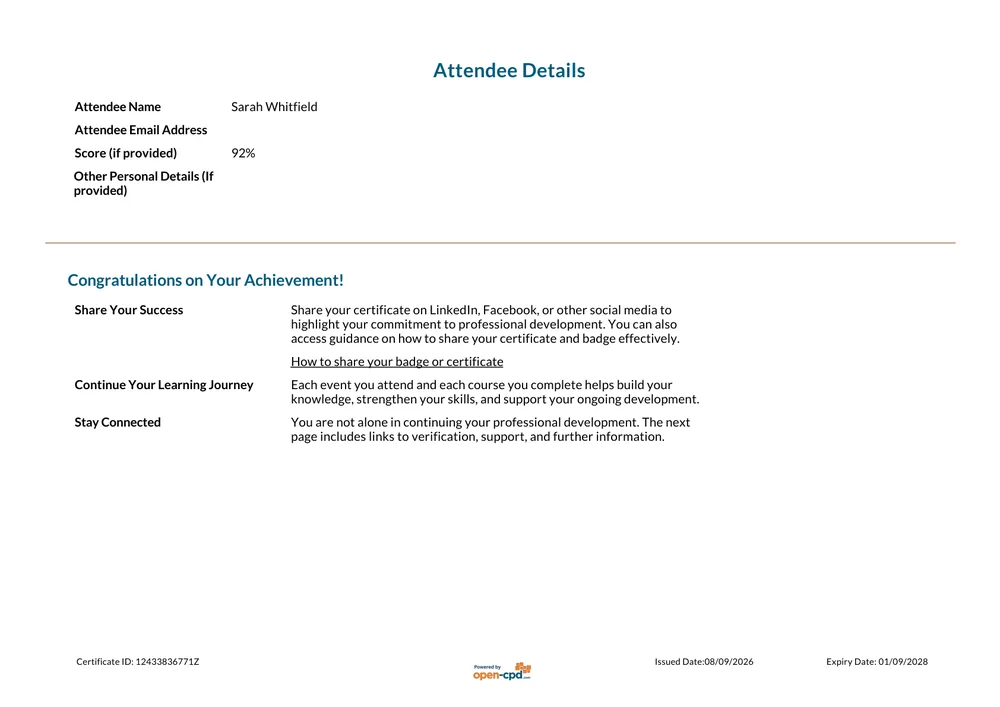
Attendee Details
The recipient's record, any score awarded, and guidance on sharing the certificate.
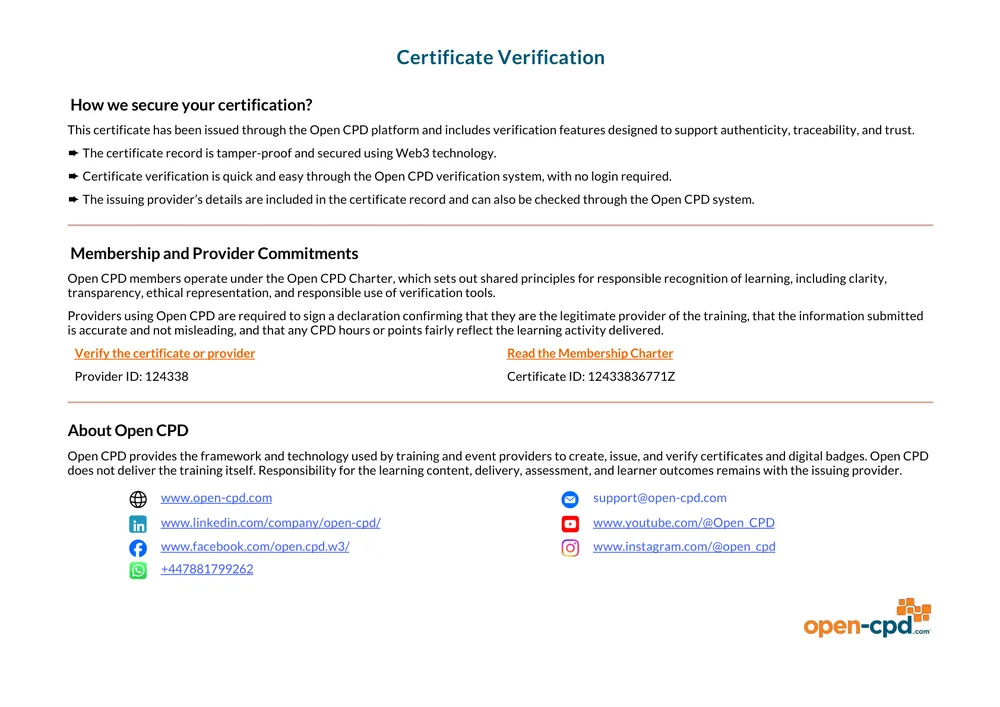
Certificate Verification
How the certificate can be checked, and the commitments behind it.
The details shown on these sample pages are illustrative. Your own course and organisation details appear in their place.
What we need from you
Everything on this list, and your template is ready to go into production.
- ✓Your chosen design. One of the examples above, or tell us if you had something else in mind.
- ✓A Canva link, or a PDF/PNG mockup. An initial concept is sufficient. We will provide a sized Canva frame for your chosen layout where required.
- ✓Your logo file. Preferably with a transparent background; we'll size it to fit your chosen layout.
- ✓A second logo, for a Partnership template. Needed if this is delivered on behalf of a client. Let us know your preferred presentation of both names and logos; our default is "delivered by" and "in partnership with or on behalf of".
- ✓Any amendments to standard labelling. Field positions remain fixed, though headings such as "delivered by" may generally be reworded.
- ✓Confirmation of bilingual requirements, if applicable. Please specify the additional language required; all fields on the standard pages can be issued in English alongside it.
- ✓Content for an additional information page, if required. Optional: one further page of your own design and content, inserted after the standard certificate pages.
Fixed vs customisable, at a glance
| Element | Status |
|---|---|
| Background artwork and colour on page 1 | Customisable |
| Field labels and headings on page 1 | Customisable |
| Design choice (Solo or Partnership, any style) | Your choice |
| Second language | Optional add-on |
| Extra information page | Optional add-on |
| Course details (length varies with your content) | Fixed format |
| Provider and attendee details | Fixed |
| Verification (always the final page) | Fixed |
| Field positions on page 1 (name, course, logo, IDs) | Fixed position |
| Open CPD logo on the opening page (footer strip or standalone mark) | Fixed |
Timeline and cost
Planning templates for several courses? Brief a single core design first and ask us about variants, rather than commissioning each one independently.
Frequently asked
Can I use my own font on the certificate?+–
Please advise us of your preferred font, and we will identify the closest available match for your opening page. We are unable to guarantee the exact typeface, though we will replicate your intended aesthetic as closely as possible, while maintaining clarity and consistency across the standard and verification pages, irrespective of how the certificate is printed, scanned or shared.
Will the Open CPD logo appear on my design?+–
Yes. The opening page incorporates the Open CPD logo, consistent with the standard pages that follow. This will be positioned either as a small footer strip or as a standalone mark, depending on your design.
Can I move my logo somewhere specific?+–
Yes, on the opening page only, as this is the sole page subject to bespoke design. Please indicate your preferred position within your Canva brief, and we will replicate this as closely as possible. Logo placement on subsequent standard pages remains fixed.
Do I need to be a designer to brief this?+–
Not necessarily, though the design itself must be supplied by you. As we are not a design agency, we are unable to originate artwork, colours or imagery. Some clients engage their own designer for this purpose; alternatively, you are welcome to prepare your brief directly in Canva. An initial concept is acceptable, provided it reflects your intended design; sharing the Canva link is typically sufficient, and our team will proceed to construct your finished template accordingly.
What if I want to change a template later?+–
Yes, templates may be amended at any time. Amendments limited to background changes are provided free of charge. Where a more extensive set of changes is required, please advise us of your requirements and we will discuss the most appropriate approach.
Ready to brief your design?
Send us your Canva link, or ask us anything before you commit to a design.
Ready to issue your own CPD certificates?
Pick a design, add your logo, and start issuing.