
Putting your brand on your digital badges
Every certificate comes with a digital badge your learners can share on LinkedIn, a CV or an email signature. Your badge can carry your own background, or one of our designs in your colours. Either way, the course details sit in the same place on every badge, so it is instantly recognisable and easy to verify.
Your badge journey
From your design to a live badge, you will always know who has the next move.
- 1
Choose your option
YouDecide whether to send us your own background (Option 1) or recolour one of our nine badges (Option 2).
- 2
Send us your design
YouYour 400 x 400 pixel PNG and where you'd like the Open CPD logo, or your badge number and colour codes.
- 3
Build
Us · usually 3-5 working daysWe check your material, then build it into a working badge with your course details in the fixed areas.
- 4
Awaiting approval
YouReview a sample of your badge and confirm it, or tell us what you'd like adjusted.
- 5
Live
CompleteWe set your courses up with your bespoke badge, and every learner who completes them receives it.
Two ways to create your bespoke badge
Pick the route that suits you. Both give you a badge that is fully yours in look and feel, with the same verified details behind it.
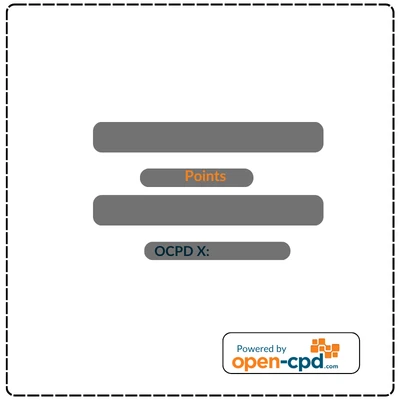
Your own background design
Send us a background image of 400 x 400 pixels. We can place the Open CPD logo wherever you’d like on it.
Best if you already have strong brand artwork, or a designer who can create it.
One of our backgrounds
Choose one of Badge 1 to Badge 9 and send us the colour codes you’d like for the text and other background elements.
Best if you want a badge in your brand colours without creating any artwork.
The fixed areas on every badge
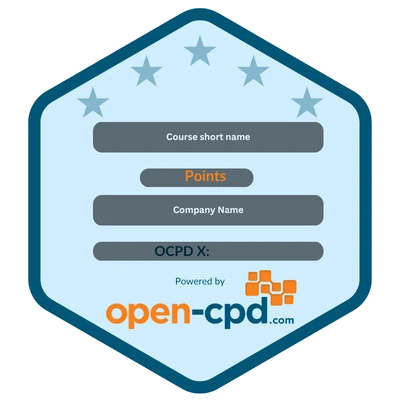
The dark boxes on the badge backgrounds mark fixed areas. The positions of these four details stay the same on every badge, whichever option you choose. The boxes are there only to show you where each detail sits: they won’t appear on your real badges, where your course details take their place.
- 1Course short name. The short title of the course, on the top box.
- 2CPD points. The number of CPD points awarded, on the small box beneath it.
- 3Provider name. Your organisation's name, on the wide middle box.
- 4OCPD X code. The unique code anyone can use to verify the achievement.
Choose from Badge 1 to Badge 9
These are our nine badge backgrounds, shown in the colours we use ourselves. The dark boxes mark the fixed areas and won’t appear on your real badges. The codes under each one are those default colours, so you can see how many you’ll need to choose. Send us your own codes in their place and we’ll rebuild the badge in your colours.
Badge 1
Hexagon with stars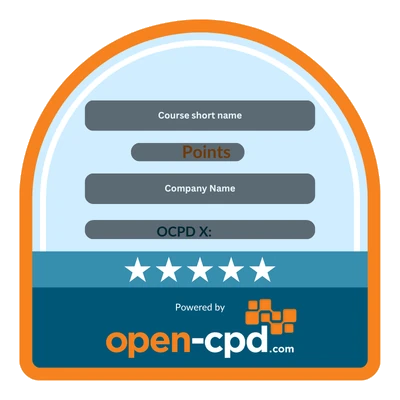
Badge 2
Arch with a star band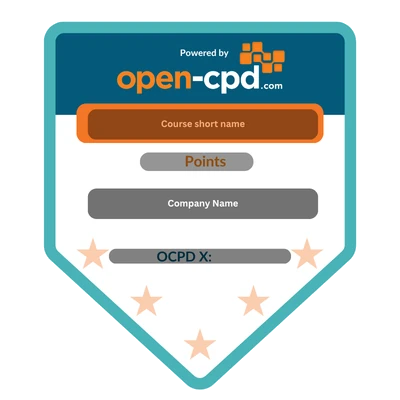
Badge 3
Pennant, logo at the top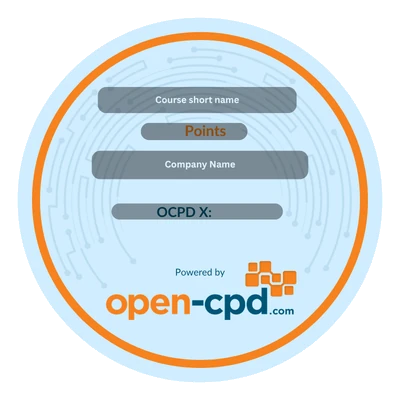
Badge 4
Circle with circuit lines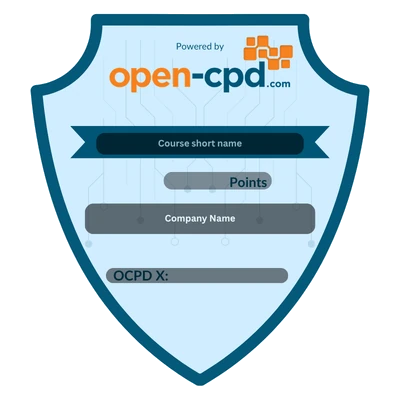
Badge 5
Crest with a ribbon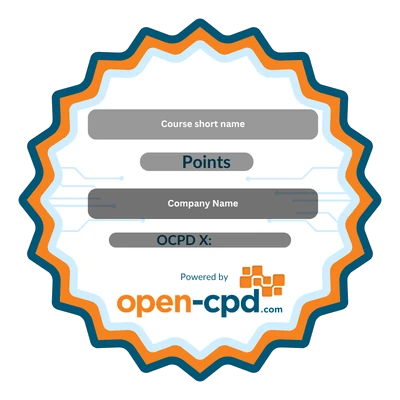
Badge 6
Rosette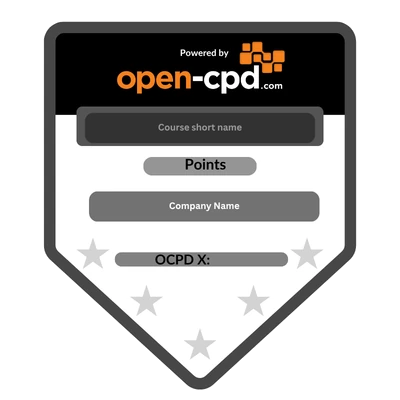
Badge 7
Pennant, monochrome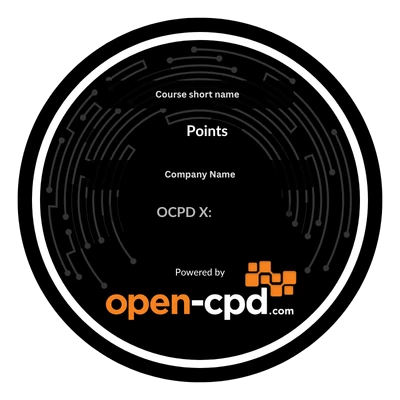
Badge 8
Dark circle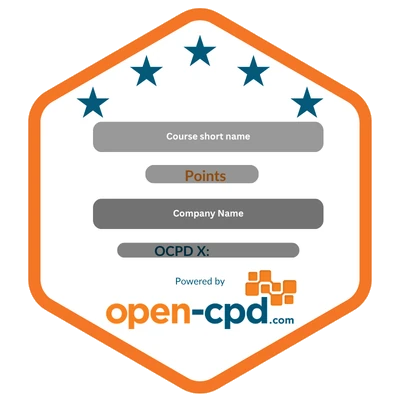
Badge 9
Hexagon, white centreWhat we need from you
Send us everything on the list for your option, and your badge is ready to go into production.
Option 1: Your own background
- ✓A PNG image, exactly 400 x 400 pixels. This becomes the whole background of your badge.
- ✓Space left for the fixed areas. The course short name, CPD points, provider name and OCPD X code sit in the same place on every badge, so keep those areas clear of important artwork. Our blank badge shows exactly where they go.
- ✓Where you'd like the Open CPD logo. We can place it anywhere on your design, as long as it stays outside the fixed areas.
Option 2: One of our backgrounds
- ✓Your chosen badge, from Badge 1 to Badge 9. The shapes are shown above; the shape itself stays as it is.
- ✓Colour codes for the text. Hex codes work best, for example #1B607C.
- ✓Colour codes for the other background elements. The swatches under each badge show how many colours it uses. Send one code for each, and tell us which part it is for if it isn't obvious.
Fixed vs customisable, at a glance
| Element | Status |
|---|---|
| Background image (Option 1) | Customisable |
| Text and background colours (Option 2) | Customisable |
| Open CPD logo position (Option 1) | Your choice |
| Badge shape (Option 2) | Fixed per badge |
| Positions of the course short name, CPD points, provider name and OCPD X code | Fixed position |
| Badge size: 400 x 400 pixels | Fixed |
| Open Badges 2.0 data behind the badge | Fixed |
Timeline and cost
Also planning a bespoke certificate? See putting your brand on your certificates and ask us about briefing both together.
Frequently asked
Can I move the fixed areas?+–
The course short name, CPD points, provider name and OCPD X code stay in the same place on every badge, so that anyone checking a badge knows exactly where to look. Everything around them is yours to design or recolour.
Where can the Open CPD logo go on my own design?+–
Anywhere you like, as long as it sits outside the fixed areas. Tell us where you'd like it when you send your background and we'll place it there.
Can I use a different size or file type?+–
Please send a PNG of exactly 400 x 400 pixels. Every badge is issued at that size, so working to it from the start means your artwork appears exactly as you designed it.
Can each course have a different badge?+–
Yes. Badges are set per course, so you can give different courses different designs or colour schemes.
Is a bespoke badge still verifiable?+–
Yes. Your bespoke badge is issued to the same Open Badges 2.0 standard as every Open CPD badge, and the OCPD X code on it links back to the verified achievement.
Ready to create your badge?
Send us your 400 x 400 pixel background, or your chosen badge and colour codes, or ask us anything before you decide.
Ready to issue your own CPD certificates and badges?
Pick a design, add your logo, and start issuing.